
The resident walks in. That's the whole interaction.
No timer to start. No form to fill in. ResQ records resident and fellow work hours from the places they already work — and everything else on this page is built on that one accurate record.
Recording work hours at residency programs across the country — without a single timer, sheet or reminder.
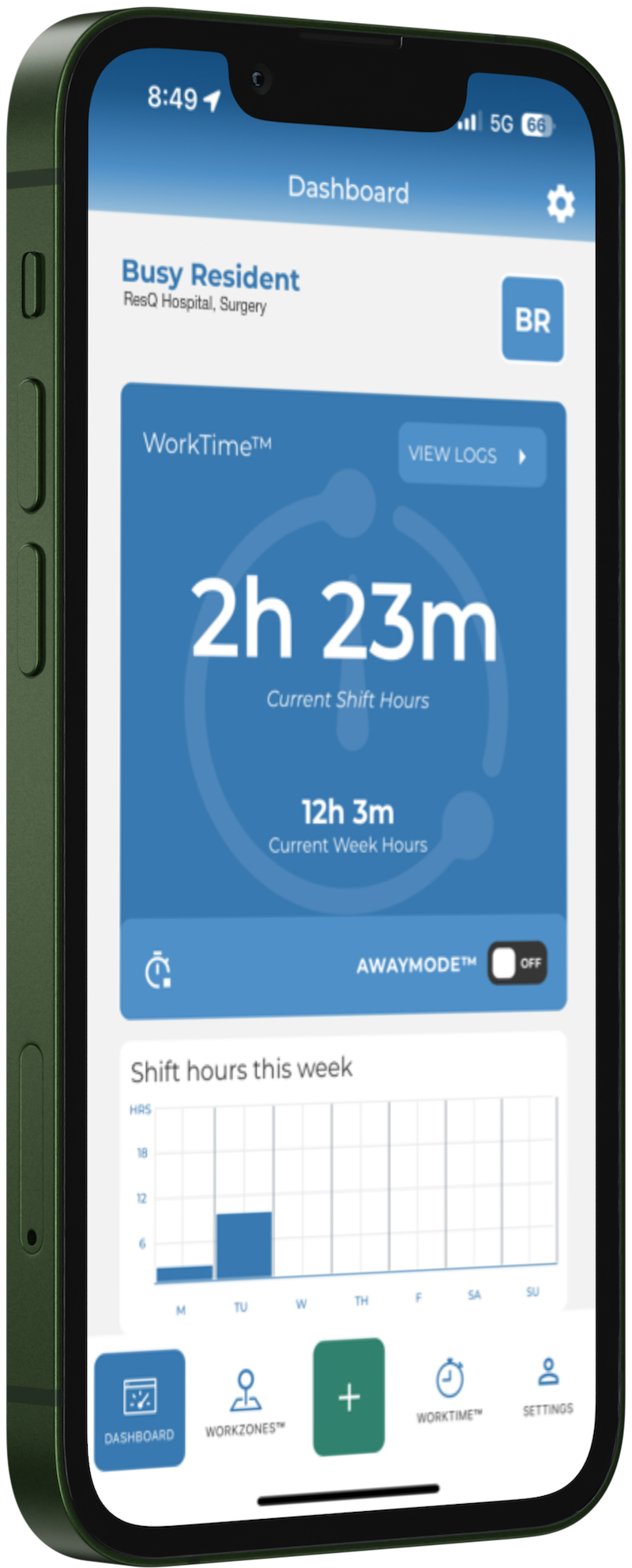
Hours record themselves, because location does the work.
Your institution's hospitals, clinics and affiliate sites are drawn once as WorkZones™. From then on, a resident crossing into one starts the clock and leaving it stops the clock. Patented location technology, running in the background of an app the resident already has.
Draw the WorkZone™
Each site is geofenced once, during onboarding. We do this with you — it is not homework.
The resident does nothing
Entry and exit are recorded automatically. No clock-in, no reminder, no end-of-week reconstruction.
Exceptions stay human
Home call, reading, a shift the phone missed — added by the resident in seconds, and clearly marked as manual.
A WorkZone™ is a real place on a map.
Main hospital, the VA down the road, the clinic a resident rotates through on Tuesdays. Because the boundary is geographic, the record knows where the hours happened — which is what makes affiliate reconciliation and site-level reporting possible later.
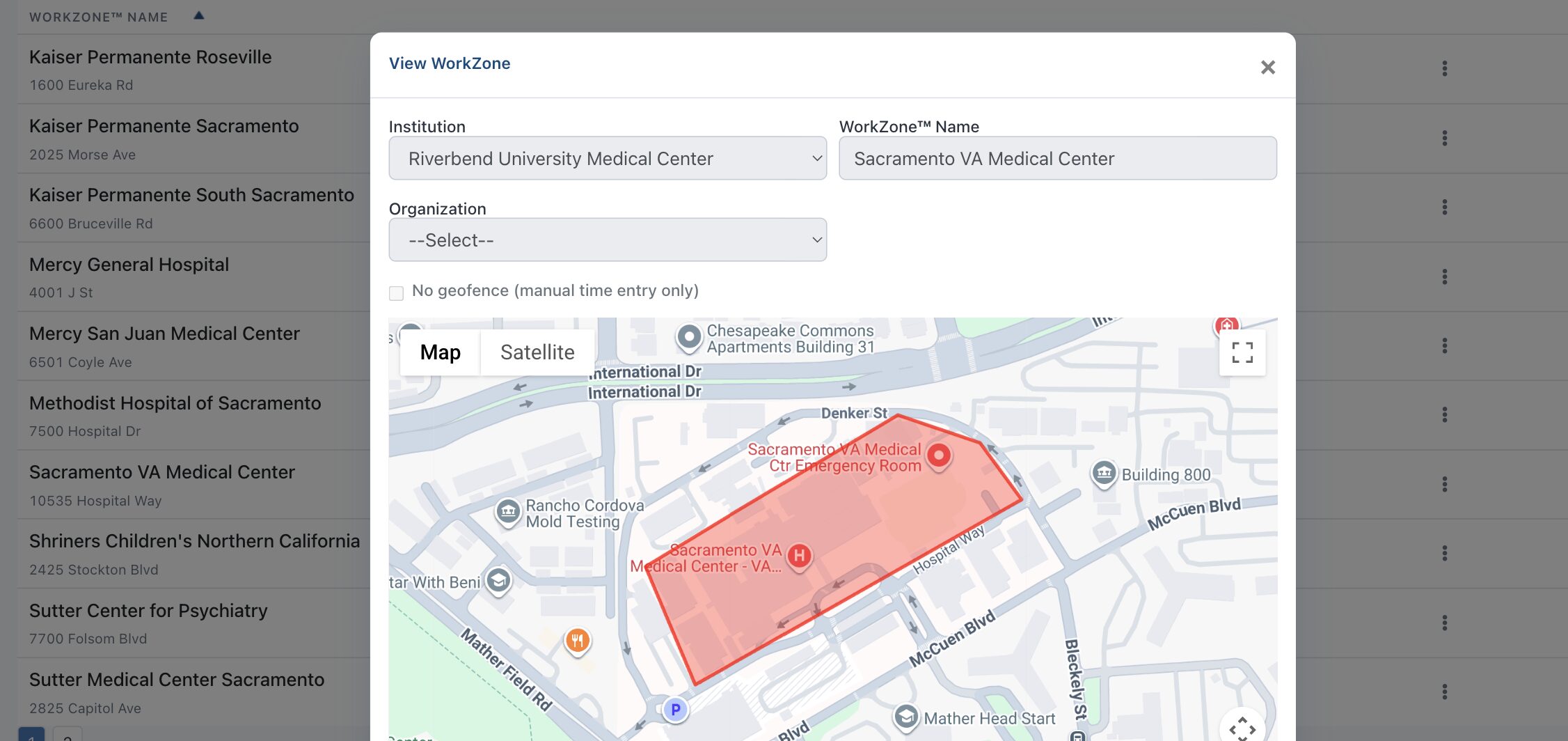
A WorkZone™ drawn around a medical center. Entry and exit across this boundary is what creates the record.
By the time you open the portal, the work is already done.
This is the part you are actually buying. Not a timesheet tool — a compliance record that was correct before anyone went looking for it.
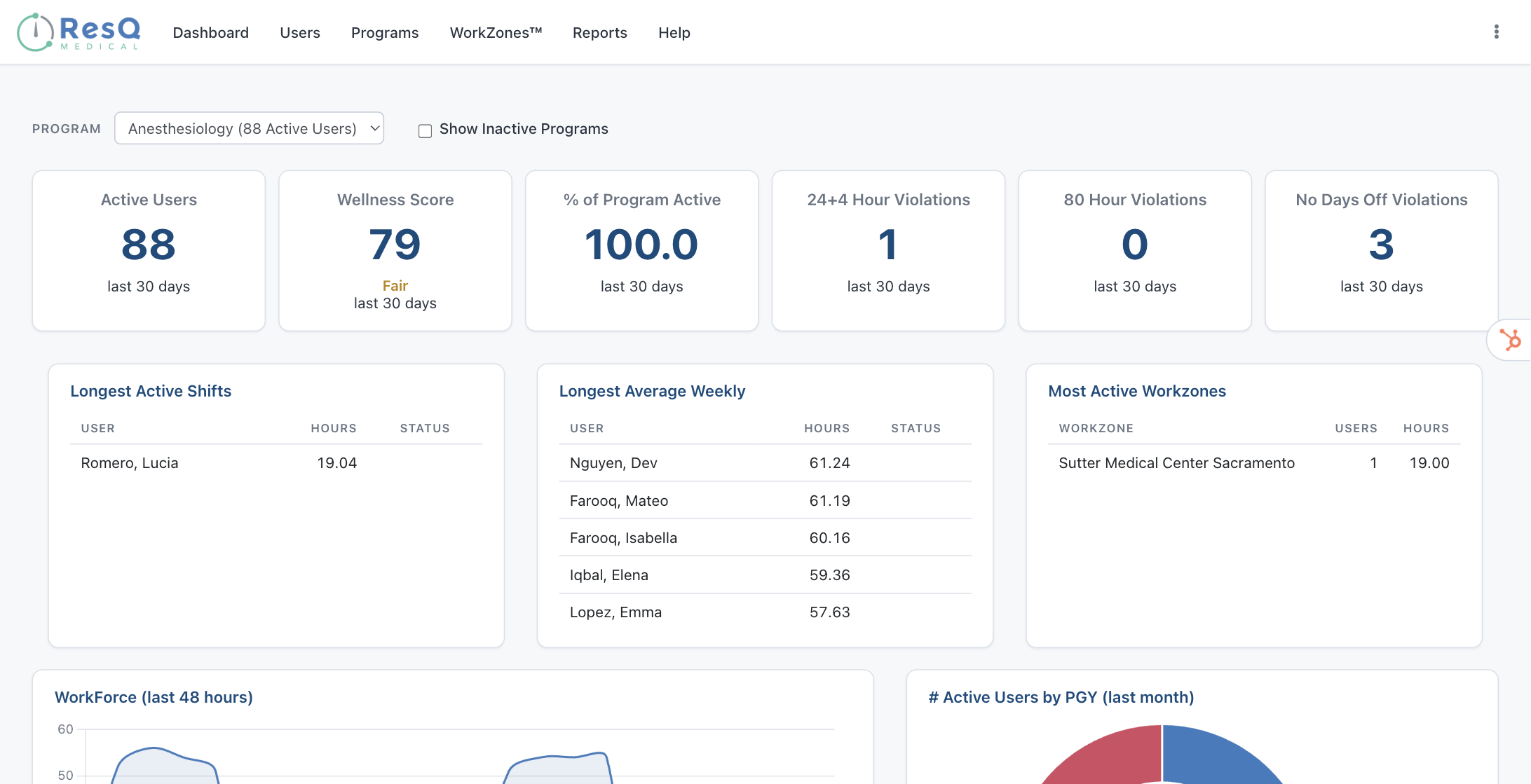
The program view: 80-hour and 24+4 exceptions surfaced without anyone running a report.
Violations find you, not the other way round.
The dashboard leads with the numbers a Program Director is accountable for. A resident approaching a limit shows up while there is still time to move a shift — rather than in a retrospective review.
Six reports, ready to run.
Pick a date range, run it on screen, export to Excel or CSV. ACGME reporting and site-visit preparation without assembling anything by hand.
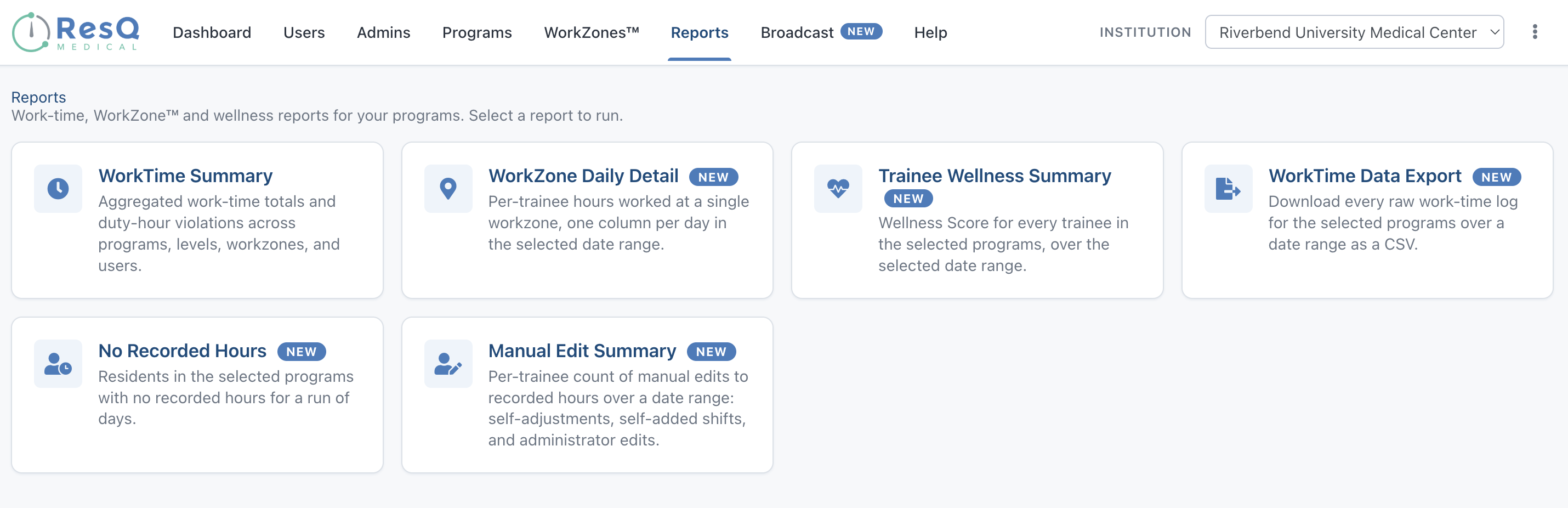
All six reports, as they appear in the portal today. Each runs across any programs you oversee, over any date range.
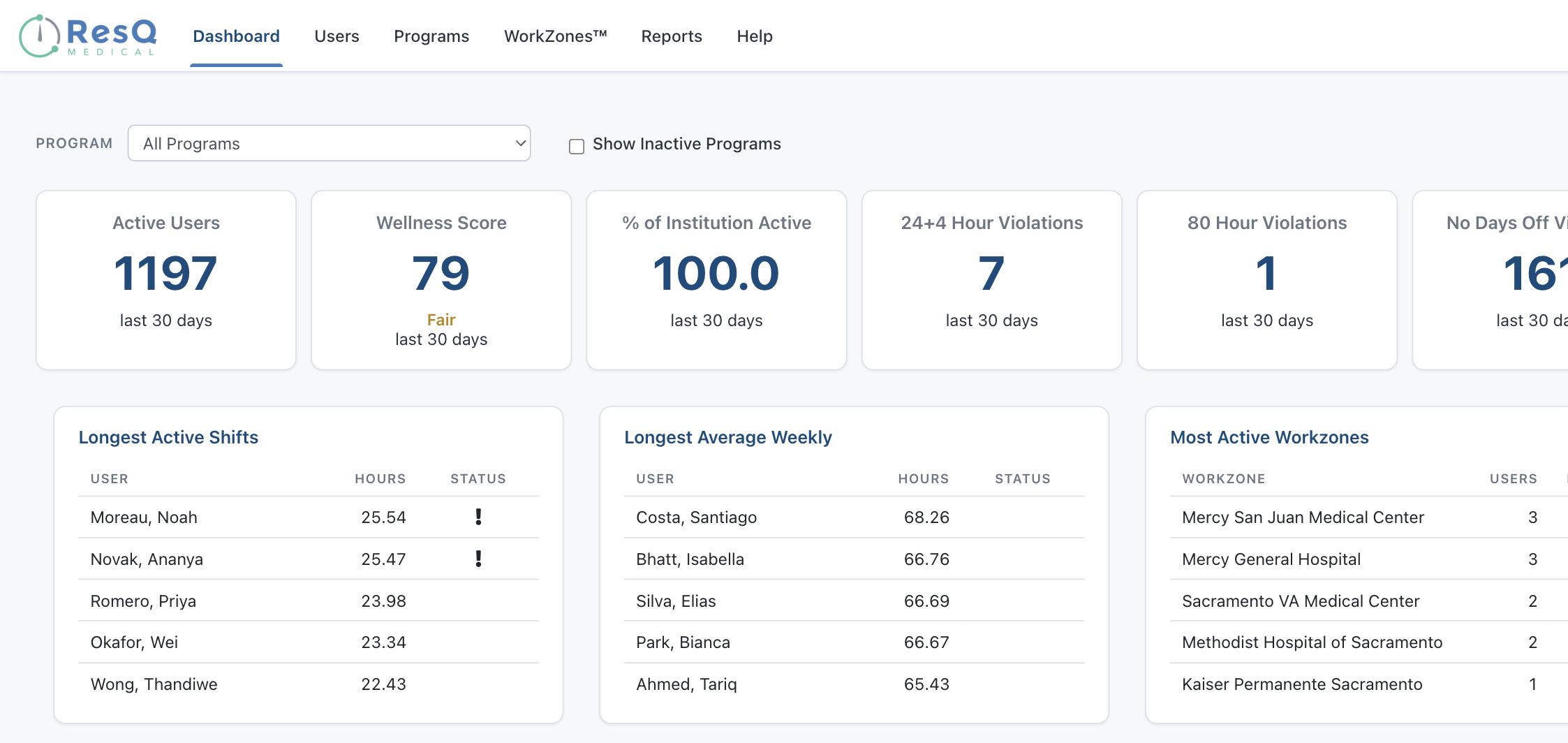
The GME view: every program the office oversees, in one place.
And the same record rolls up institution-wide.
A GME office sees every program it oversees without asking coordinators for spreadsheets — because it is the same record, not a second system.
Three things that make this defensible.
Everything else is built on the same record.
WorkTime™ is the product. The rest are things that become possible once hours are accurate and know where they happened.
Residents see their own hours, and only their own.
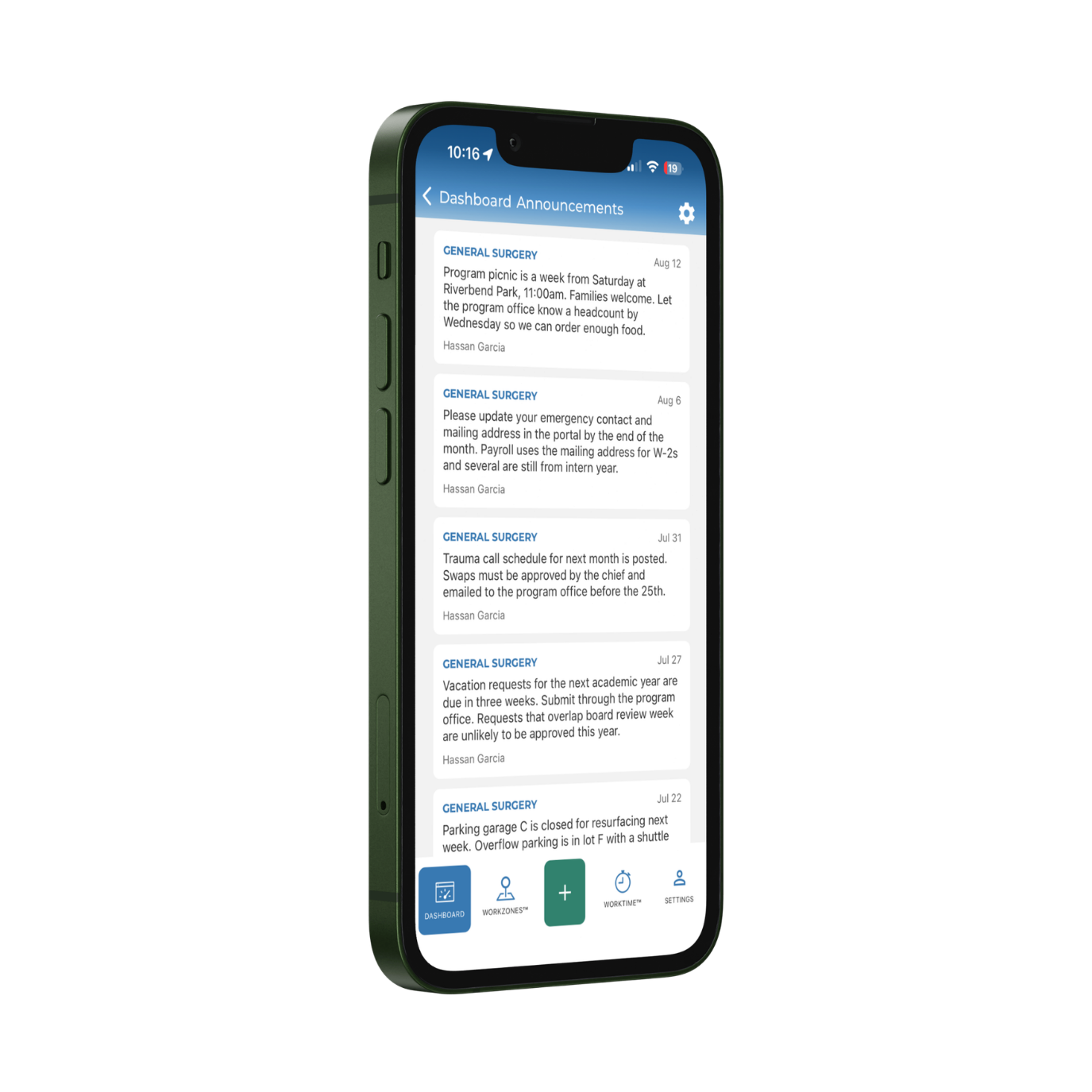
The app shows a resident what was recorded and lets them correct it. ResQ stores no identifiable location — only whether someone was inside a WorkZone™ or outside it.
Programs that record hours this way.






“It takes 95% of the work of logging duty hours off of me. It’s incredibly easy to log in at the end of the week, make a few adjustments, and submit.”
Resident“ResQ is revolutionizing the way that resident work hours are documented and understood.”
Program LeadershipDepending on who you are.
See it running on your own programs.
A 30-minute walkthrough using your specialties and your sites — the app, the program view and the GME view.