
The Only App That Records & Documents Work Hours Automatically.
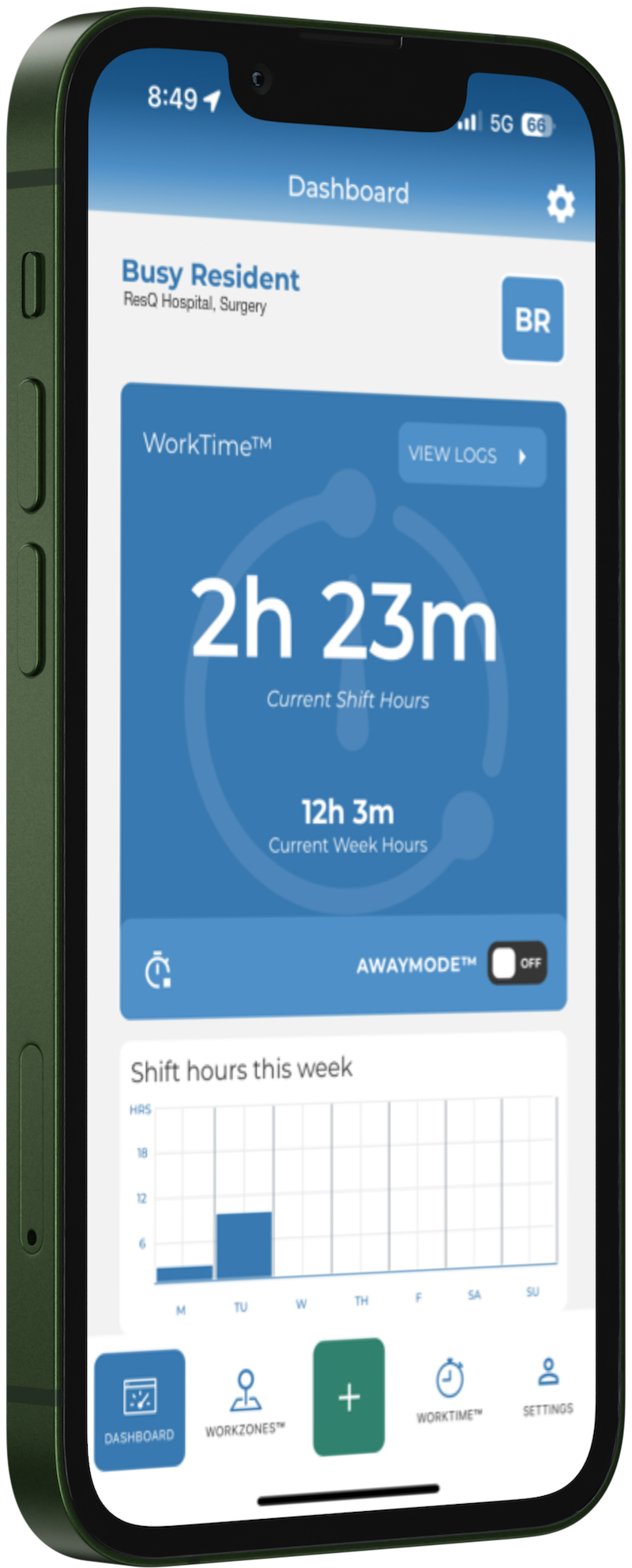
Clock in by walking in. Using patented location technology, the ResQ app records and documents work hours on its own — the clock starts the moment residents and students step into a WorkZone™ and stops when they leave. No buttons, no reminders, nothing to remember.
Trusted by residency programs at nearly 30 institutions · iPhone & Android · Syncs with MedHub, New Innovations & Medtrics
Trusted by GME teams nationwide







Clinical and educational work hours shouldn't run on memory and email.
Most programs still depend on residents remembering to log hours and coordinators chasing them down. It's late, it's incomplete, and the risk only shows up after the rule is already broken.
Recall-based logging. Hours reconstructed at week's end are guesses — and rarely on time.
Endless chasing. Coordinators spend hours nudging residents to submit and attest.
Violations found too late. You learn about a breach after it happened, not before.
Scramble at site visits. Proof gets assembled by hand when the ACGME comes calling.
Everything runs on hours that record themselves.
ResQ captures work hours automatically, then turns that one clean record into everything your GME team needs — from real-time risk to resident communication.
Clock in by walking in.
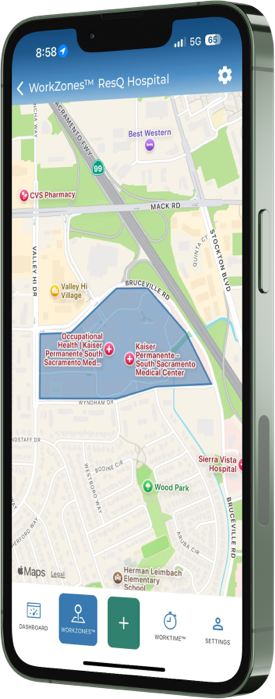
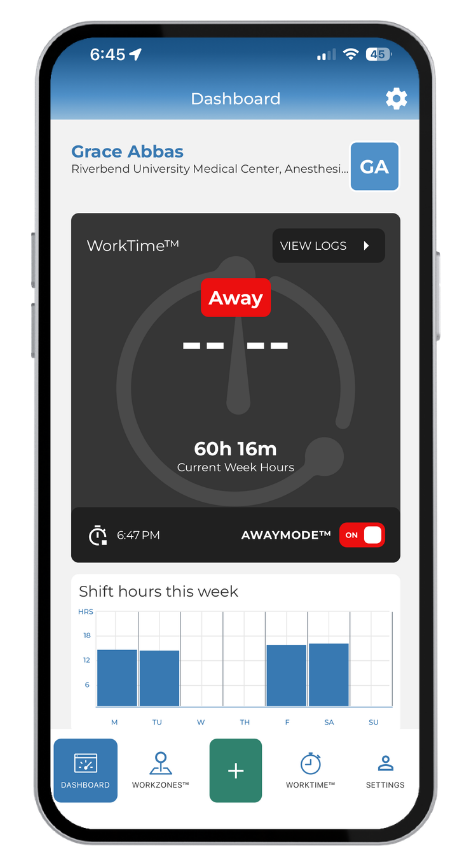
Patented location technology starts the clock when a resident enters a WorkZone™ and stops it when they leave — on iPhone and Android. No submitting, nothing to remember. The record is contemporaneous, not reconstructed.
Explore WorkTime™ Automation →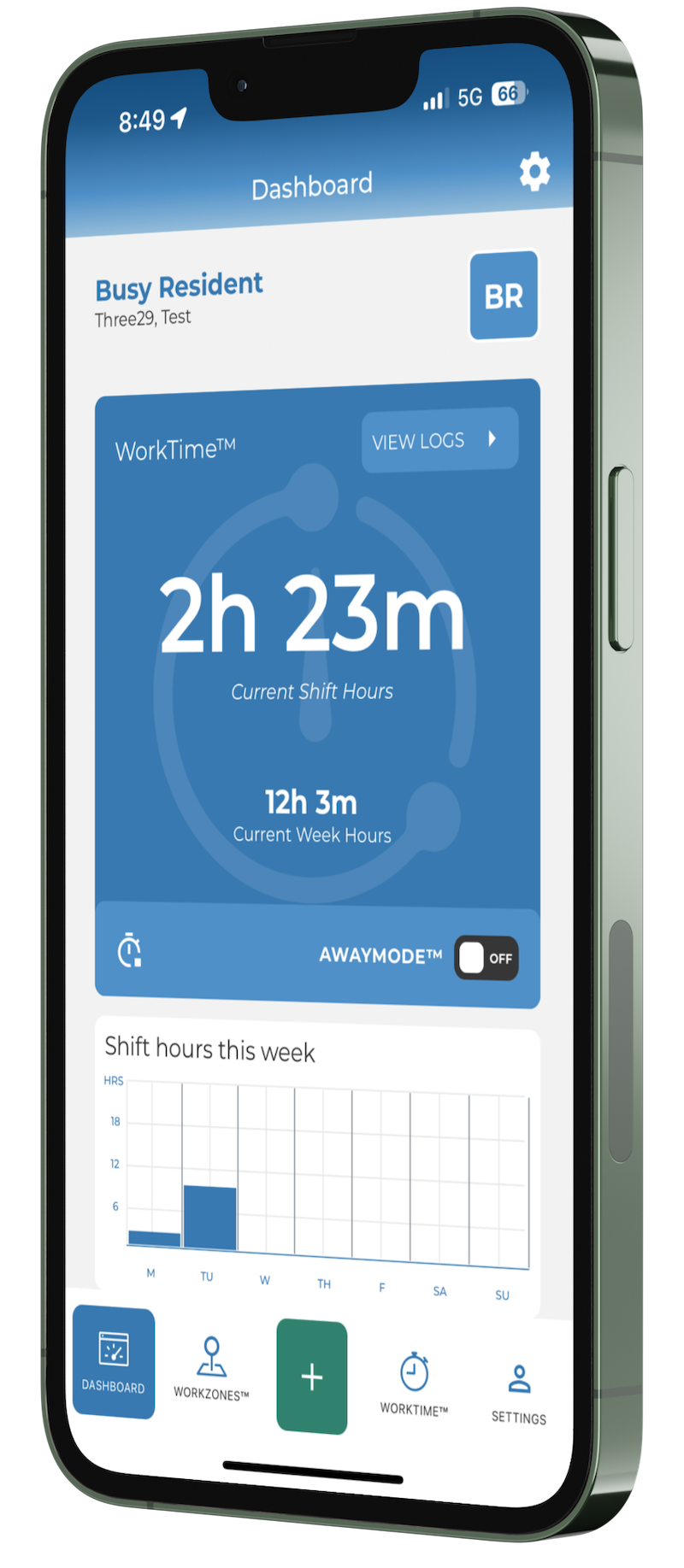
See ACGME risk before it happens.
A live dashboard and real-time alerts surface work-hour risk while there's still time to act — so a potential violation becomes a schedule change, not a citation.
Explore WorkTime™ Awareness →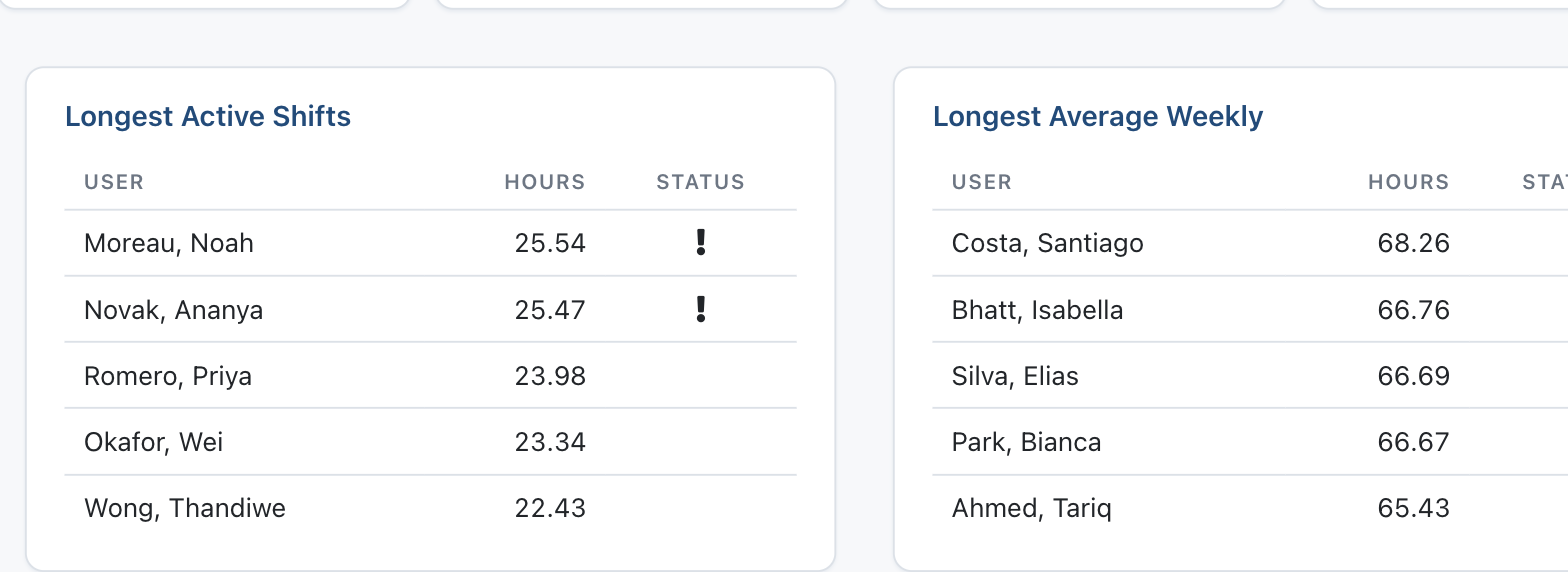
Walk into any review with the numbers ready.
Run reports by program, PGY, WorkZone™, or resident over any date range and export them. Weekly summaries arrive on their own, and Wellness Scores™ track workload over time — so risk shows before burnout does.
Explore WorkTime™ Analytics →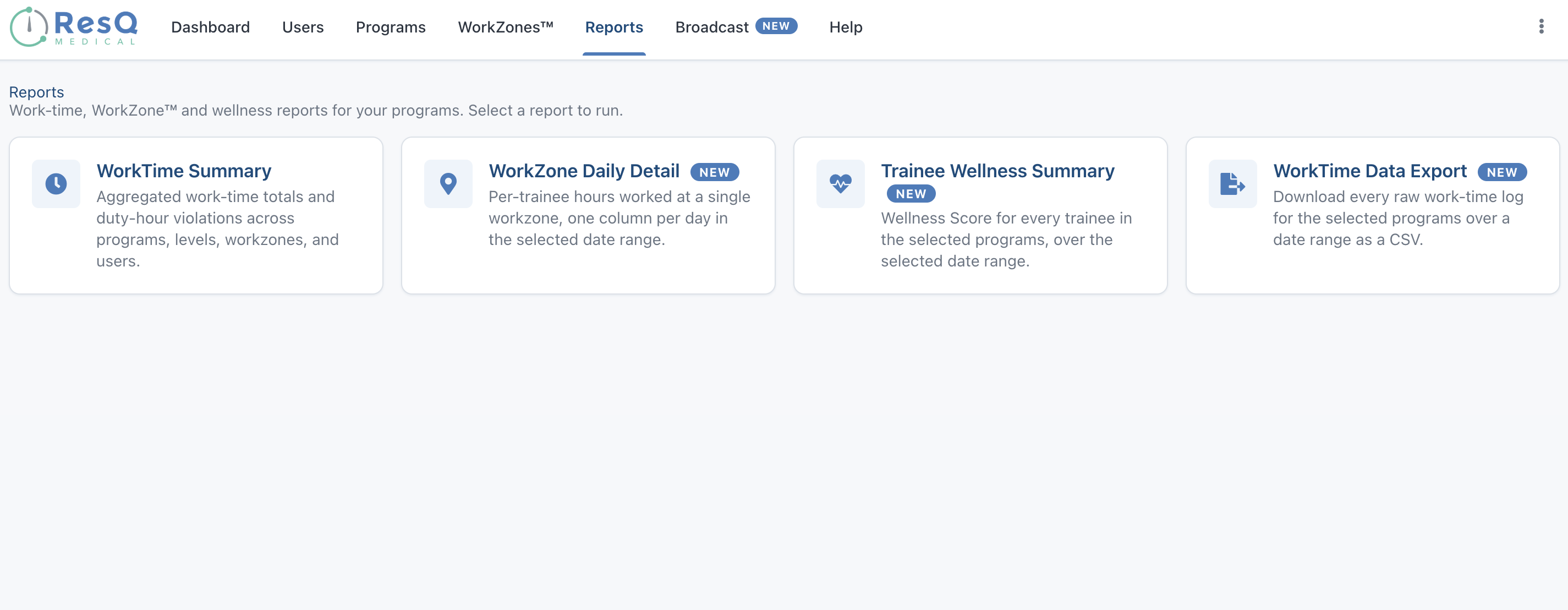
Reach every resident — instantly.
Post an announcement to your whole program and it lands on every resident's phone as a push notification, right inside the app they already use. Read receipts show you exactly who's seen it.
Explore Broadcast →Check affiliate and host-site hours against something real.
The WorkZone™ Daily Detail report gives you a day-level record of the hours worked at each host site — a manual but real way to verify affiliation hours and invoices against where residents actually were.
Coming soon: AffiliateView™ will automate that reconciliation across every affiliate site at once.
See the WorkZone™ Daily Detail report →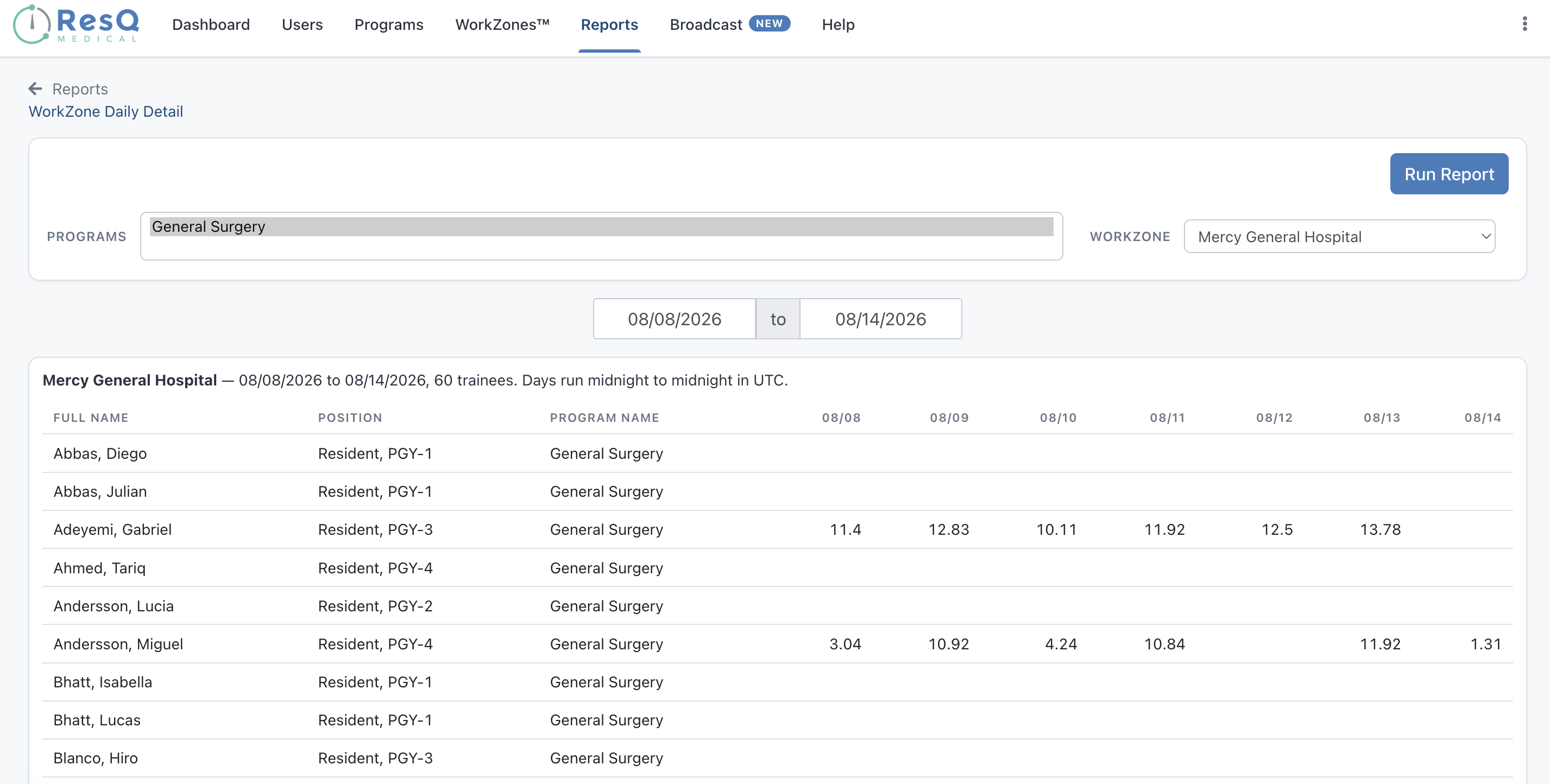
Residents stay in control.
Automatic doesn't mean invasive. We never process identifiable location data on our servers, and residents see every WorkZone™ boundary in the app.
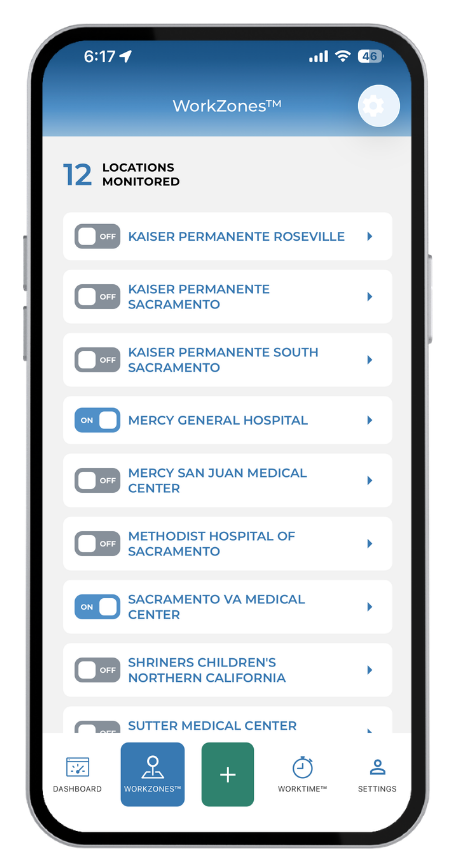
- Toggle individual WorkZones™ on or off
- AwayMode™ disables location services entirely
- Review, adjust, or add hours any time
One record, scoped to every role.
GME Administrators & DIOs
Institution-wide visibility across every program, with the ability to drop into any single one — and post announcements to any program when it matters.
- Every program’s compliance status in one institution-wide view
- Drill into any single program when you need the detail
- Post announcements to any program with ResQ Broadcast
- Reporting that’s ready for ACGME and leadership
Program Directors & Coordinators
See risk building in your own residents in time to change a schedule, stop chasing submissions, and reach your program in one tap.
- Spot work-hour risk early — while there’s still time to adjust the schedule
- Hours record automatically, so no more chasing submissions
- Reach your program in one tap with Broadcast
- Visibility scoped to just the program(s) you manage
Residents
One less thing to do. Hours record automatically with minimal battery, stay private, and are always yours to review or adjust.
- Hours record automatically at your WorkZones™ — nothing to log
- Runs quietly in the background with minimal battery use
- Your data stays private and is always yours to review or edit
- Recorded on entry and exit, keeping you within ACGME limits
The best compliance tool is the one nobody has to think about.
"It makes logging hours a one-click task, and I like not having to think about it."
— Resident
"Extremely convenient and doesn't seem to impact battery life. Everyone should use it."
— Resident
"The hour recognition is spot on. I just hit submit at the end of the week."
— Resident
Keep your RMS. Add the hours that record themselves.
Hours recorded with ResQ sync to MedHub, New Innovations, and Medtrics — no changes to your existing system.



Click through a real dashboard, filled with sample data.
Pick the self-guided tour that fits your role — no form, no wait.
See ResQ in action.
A 30-minute walkthrough with the ResQ team. We'll show you how ResQ records work hours automatically, turns them into clear reports, and reaches residents right in the app with Broadcast — and help you decide if it's the right fit.