
PRODUCT UPDATE
The Program Administrator dashboard, rebuilt around what you check first.
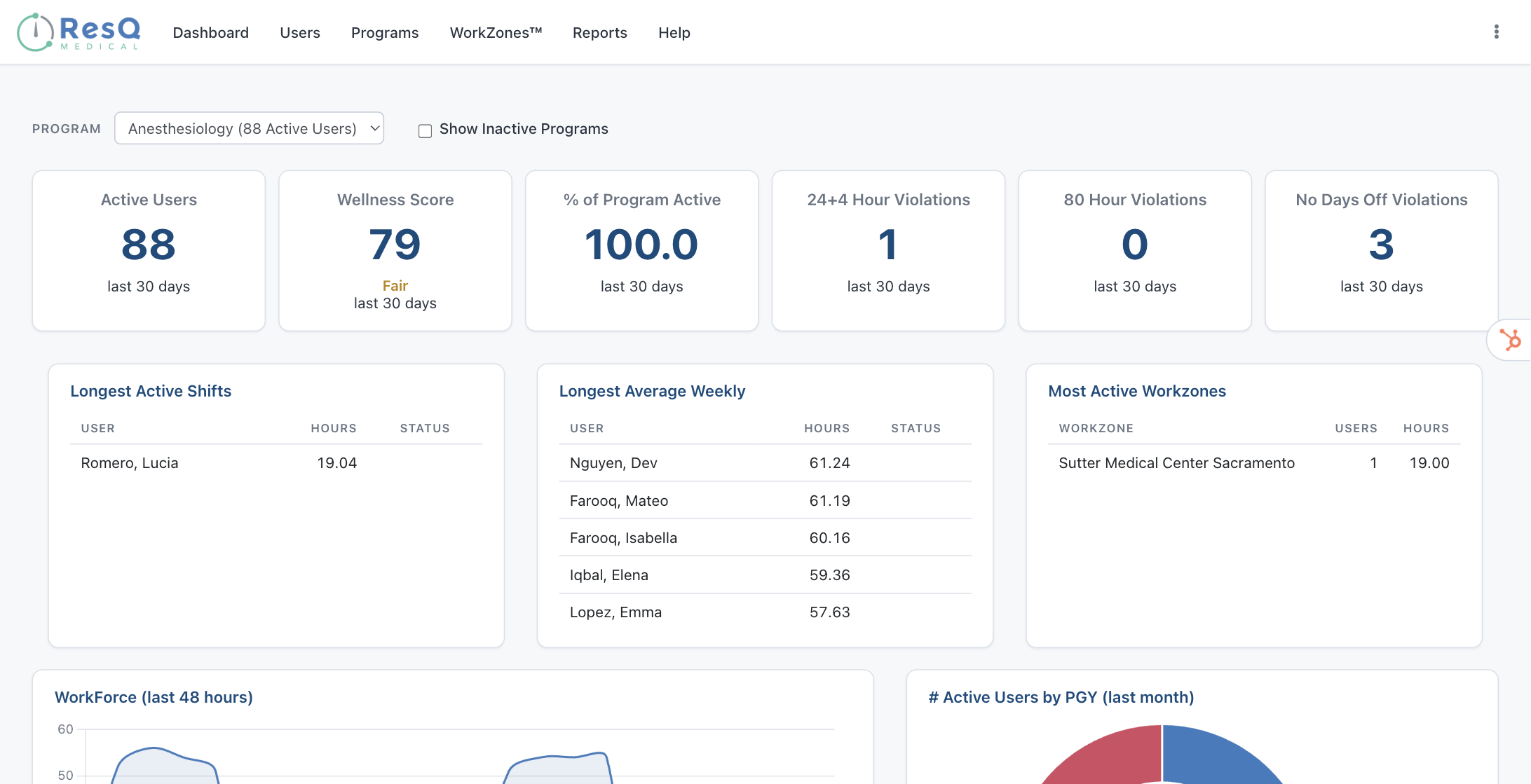
ResQ has released a significant update to the Program Administrator profile. The interface has been rebuilt for a cleaner, faster experience, with the information Program Directors and Coordinators reach for most now on the first screen — and several capabilities added or expanded along the way.
What changed
Fewer clicks to the answer
The previous interface took more navigation to reach key insights. Compliance status, early warnings, and wellness data now appear immediately rather than several screens in.
One screen, not several
Active residents, program Wellness Score™, and 30-day counts for three ACGME violation types now sit together on the landing dashboard.
Live, not retrospective
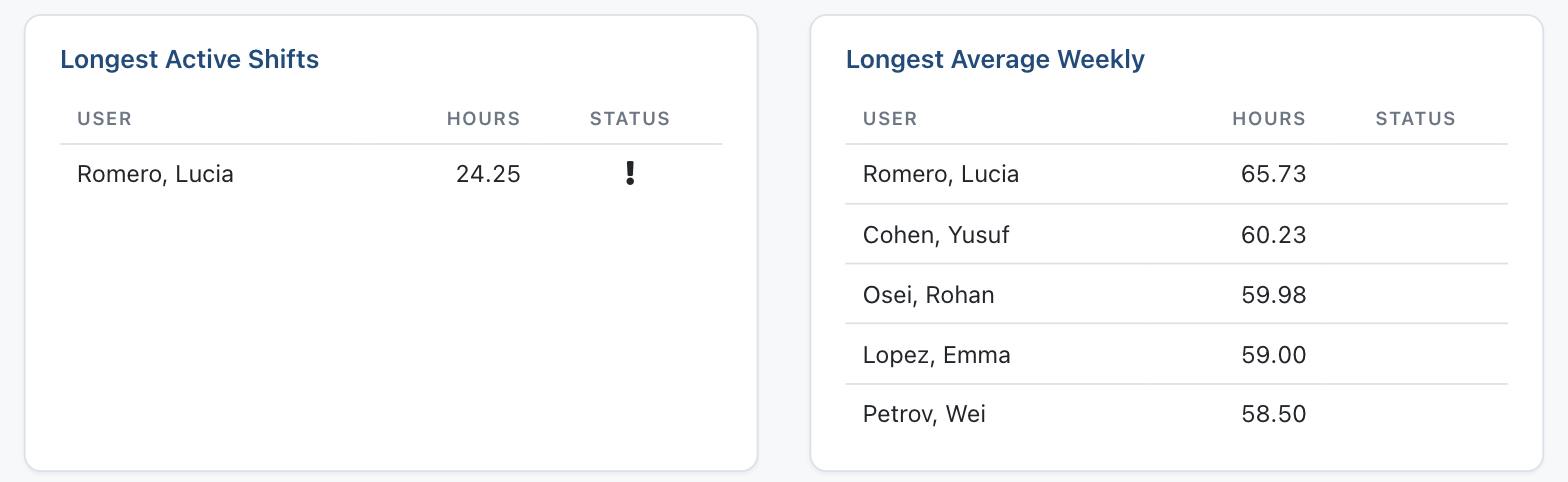
Early-warning lists update in real time, so schedule adjustments can happen before a limit is crossed rather than after.
IN THE REDESIGNED PROGRAM VIEW
What the rebuilt program dashboard puts in front of you
The redesign reorganizes the program profile around the daily work of running a residency. New and expanded in this release:
- A live overview of active residents, program Wellness Score™, and 30-day ACGME violation counts (24+4 hour, 80-hour, and days-off)
- Real-time early-warning lists for the longest active shifts and the highest weekly averages
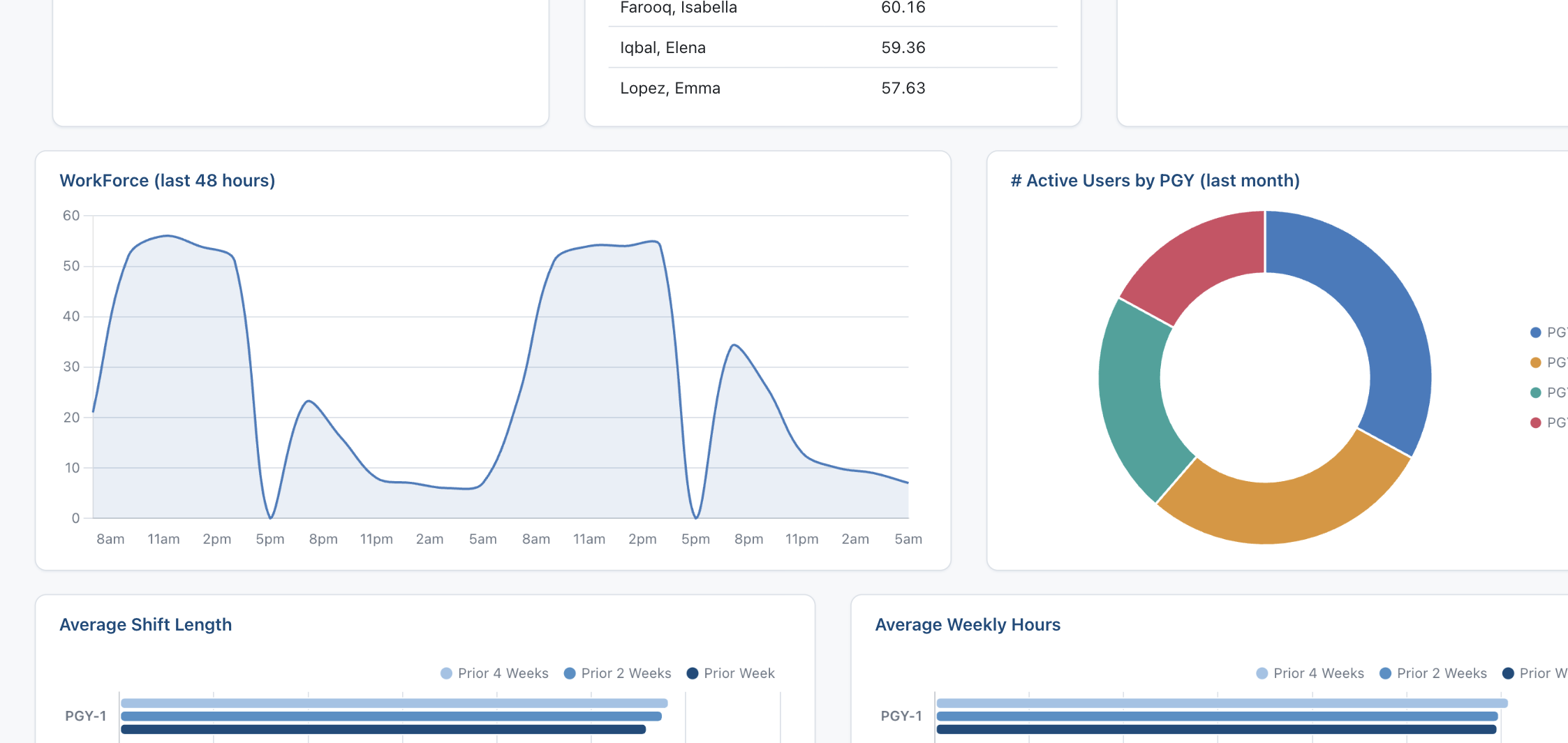
- A rolling 48-hour live workforce view, with counts by WorkZone™
- PGY-level analytics comparing current averages against the prior two and four weeks
- A searchable, filterable roster with drill-down to individual records, hour corrections, and access management
- One-click WorkTime™ Summary reports with direct Excel export
- Individual resident Wellness Scores™ based on actual recorded workload
WHY IT MATTERS
From chasing hours to adjusting schedules.
Most of the effort in duty-hour compliance has always gone into collection rather than analysis. Putting early warnings and violation counts on the first screen shifts what a program can do with them — a long shift becomes something you adjust around this week, not something you document next month.
Automatic recording at geofenced WorkZones™ continues to handle the collection underneath, as it always has. What is new is how quickly the redesigned view turns that record into a decision.
Hours continue to sync automatically with MedHub, New Innovations, and Medtrics — no changes to existing workflows.
See the redesigned program view.
Request a demo and we’ll walk you through the updated Program Administrator profile with your own program in mind. Or explore the full Program Directors & Coordinators overview.