
PROGRAM DIRECTORS & COORDINATORS
Your Whole Program on One Screen.
ResQ automatically records your residents’ work hours and turns them into a live compliance picture of your program. No email reminders. No chasing hours at the end of a rotation. No spreadsheet assembly before a review.
Why programs choose ResQ
Compliance at a glance
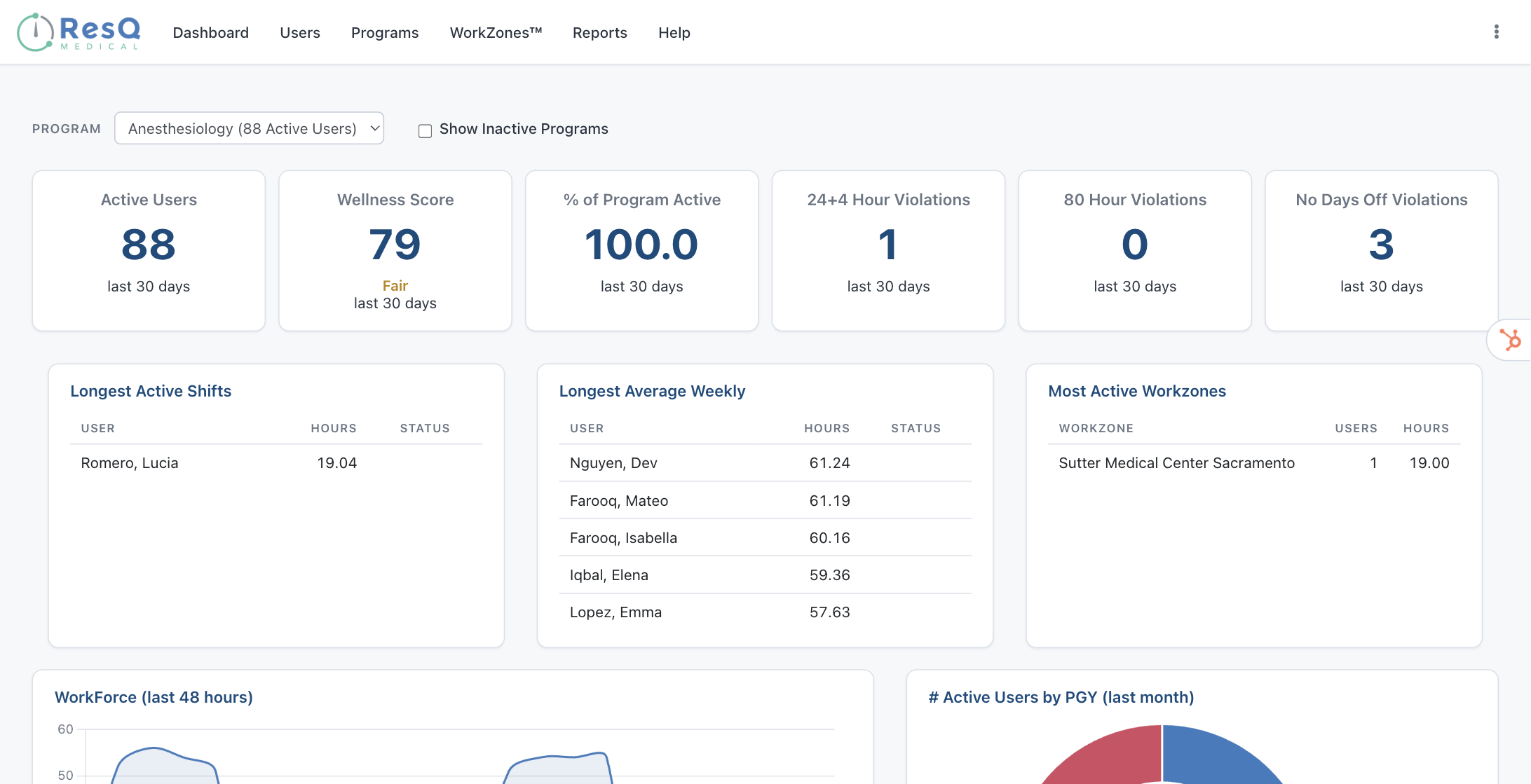
One dashboard with your active residents, program Wellness Score, and 30-day counts of all three ACGME violation types — 24+4 hour, 80-hour, and days-off.
No more chasing hours
Residents clock in by walking in. Hours record automatically at every WorkZone™, so you can retire the reminder emails — and the data is contemporaneous, not recalled weeks later.
Reports in minutes
ACGME-ready work-hour reports by PGY, resident, violation, or location — over any date range, exportable to Excel for audits and site visits.
EARLY-WARNING LISTS
See potential violations before they happen, not after.
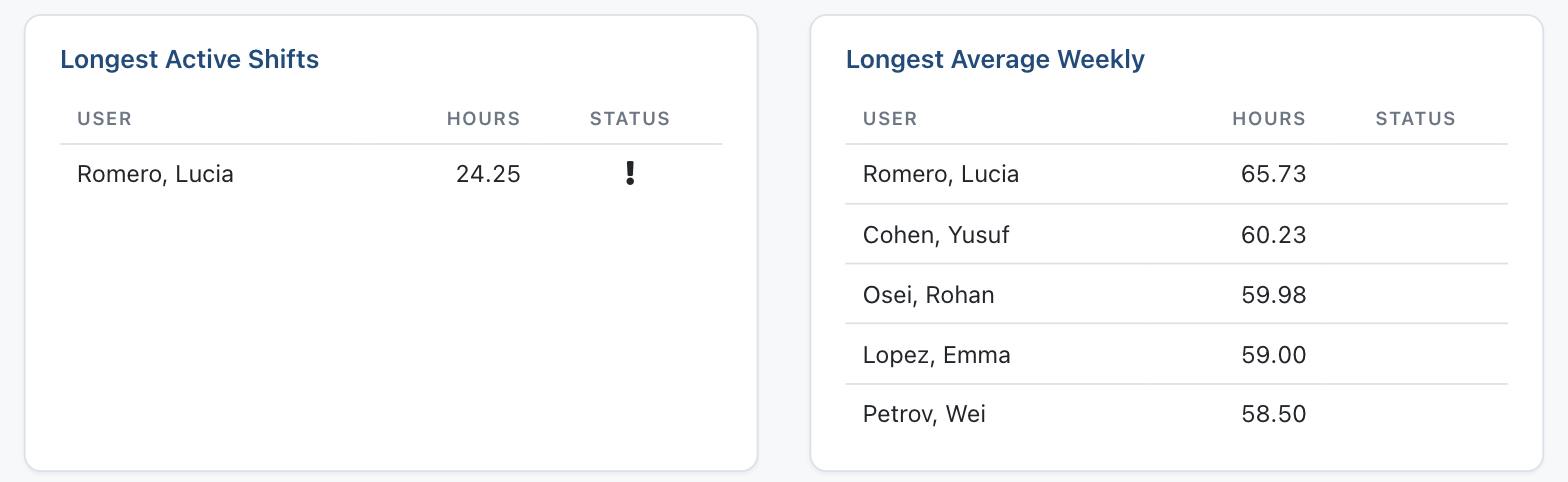
Live lists of the longest active shifts and highest weekly averages in your program, updated in real time. You get a clear heads-up as residents approach their limits — with time to adjust schedules and keep the week on track.
LIVE WORKFORCE VIEW
See who’s in the hospital right now — and where.
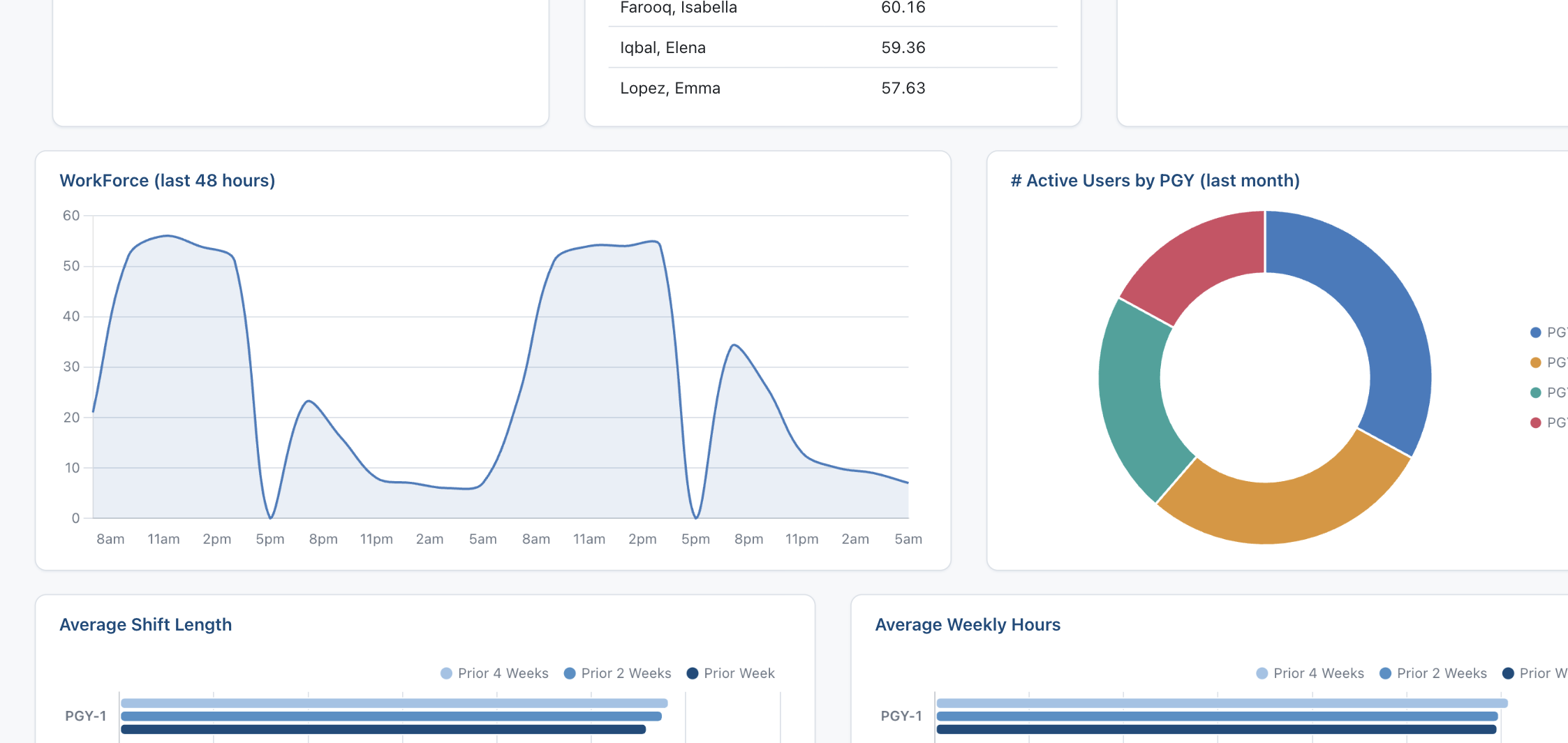
A rolling 48-hour view of how many residents are on shift, plus your most active WorkZones™ with live counts. Real-time staffing visibility for daily operations — and for emergency management when it matters most.
PGY-LEVEL ANALYTICS
See which training level’s hours are trending up.
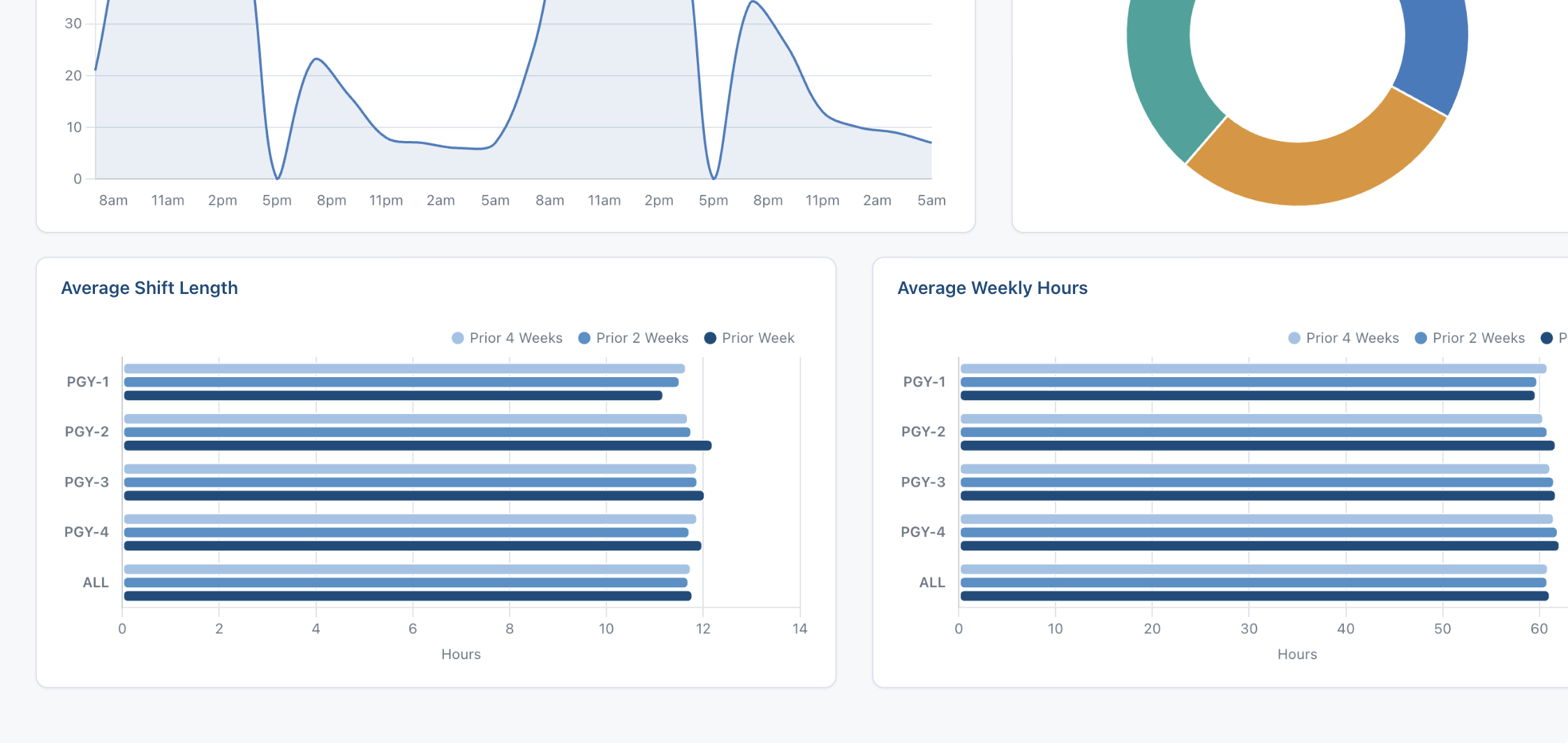
Average shift length and average weekly hours by PGY, trended against the prior two and four weeks. Address the rotation that’s driving the hours — not just the individual resident.
ROSTER MANAGEMENT
Everything a coordinator needs, in one place.
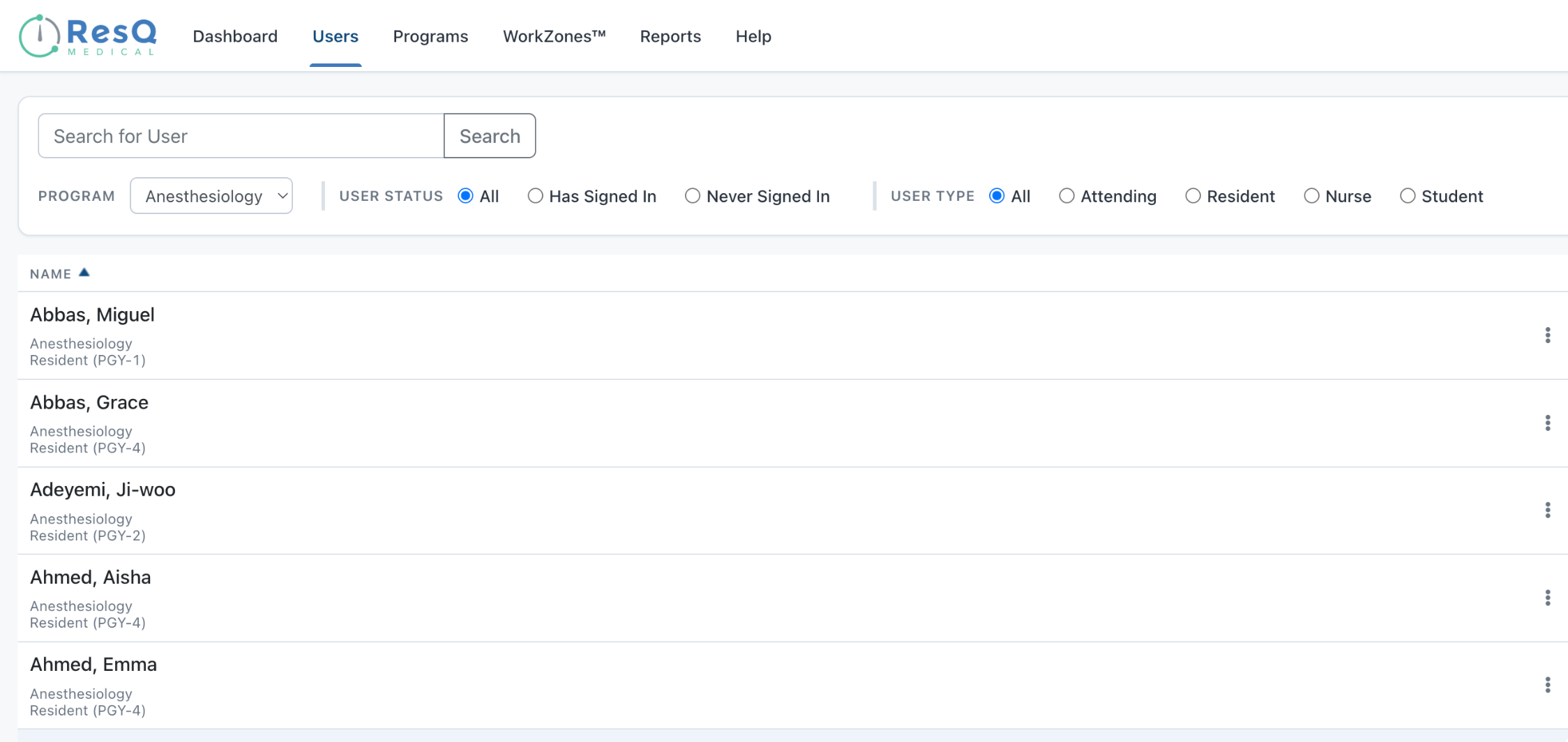
Search and filter your full roster, drill into any resident’s complete work-hour record, add or correct hours on their behalf, and reset passwords — all without leaving the roster.
WORKZONES™ WITH GEOFENCES
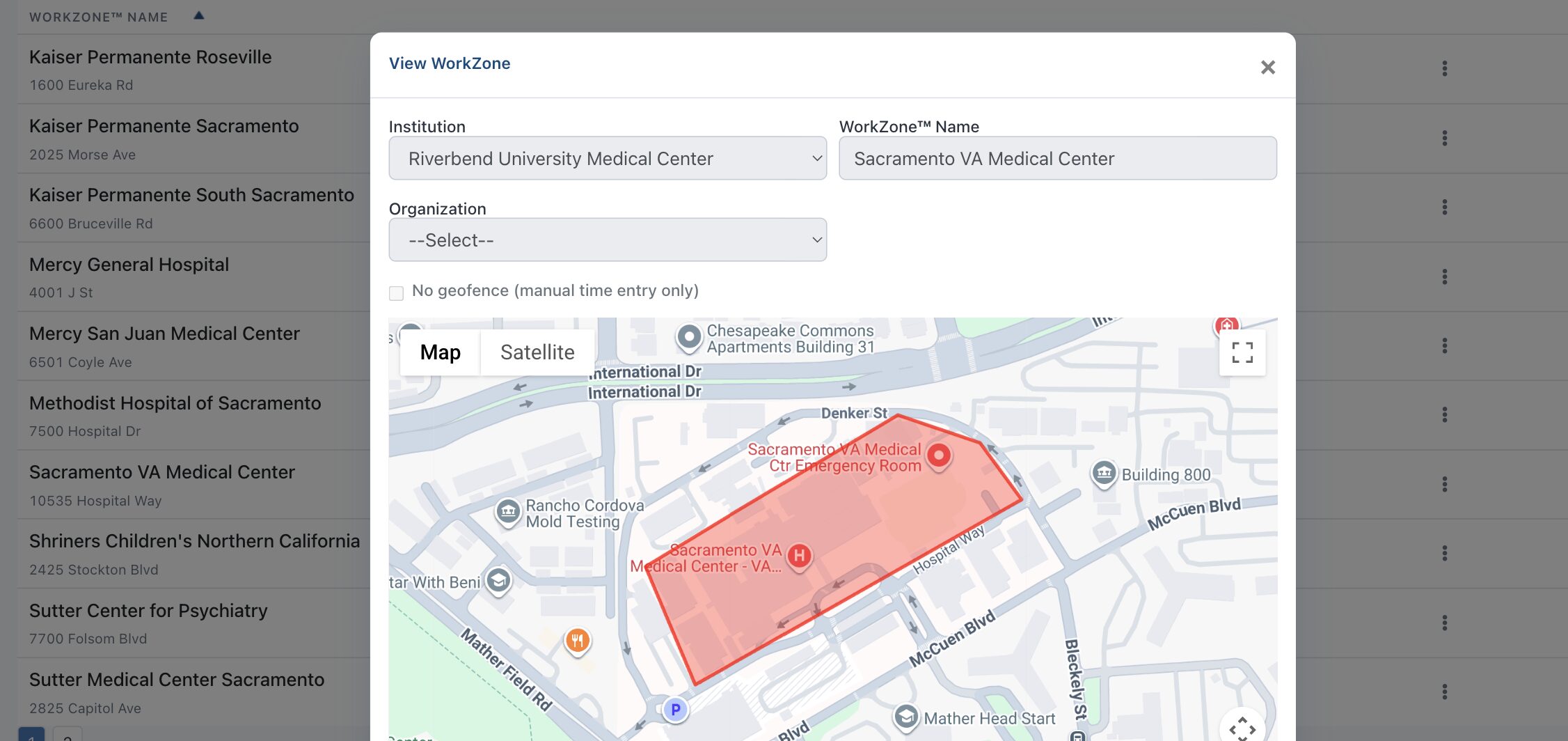
Hours record themselves at every mapped clinical site.
Every clinical site is a geofenced WorkZone™ that records entry and exit automatically — with a manual-entry option for sites where geofencing isn’t wanted, and every boundary visible on the map. Each WorkZone™ also carries live resident counts and per-site hour totals, giving your program a contemporaneous record of where resident hours happened — at your primary site and, depending on your institution, across affiliate hospitals too.
ONE-CLICK REPORTING + EXCEL EXPORT
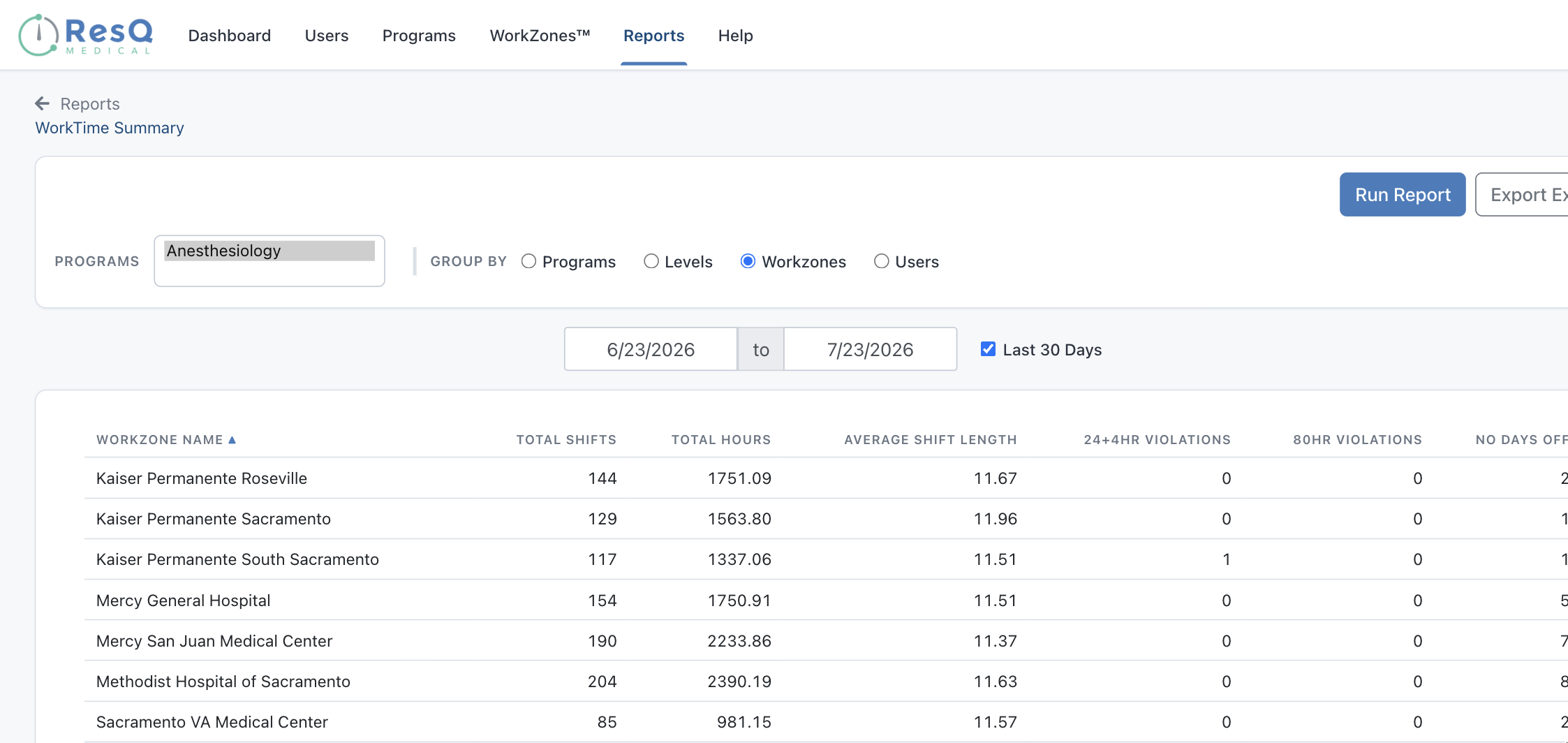
ACGME-ready documentation in minutes.
WorkTime™ Summary aggregates shifts, hours, and every violation type — grouped by PGY level, WorkZone™, or individual resident, over any date range. Export it to Excel and your site-visit prep is done.
RESIDENT WELLNESS SUMMARY
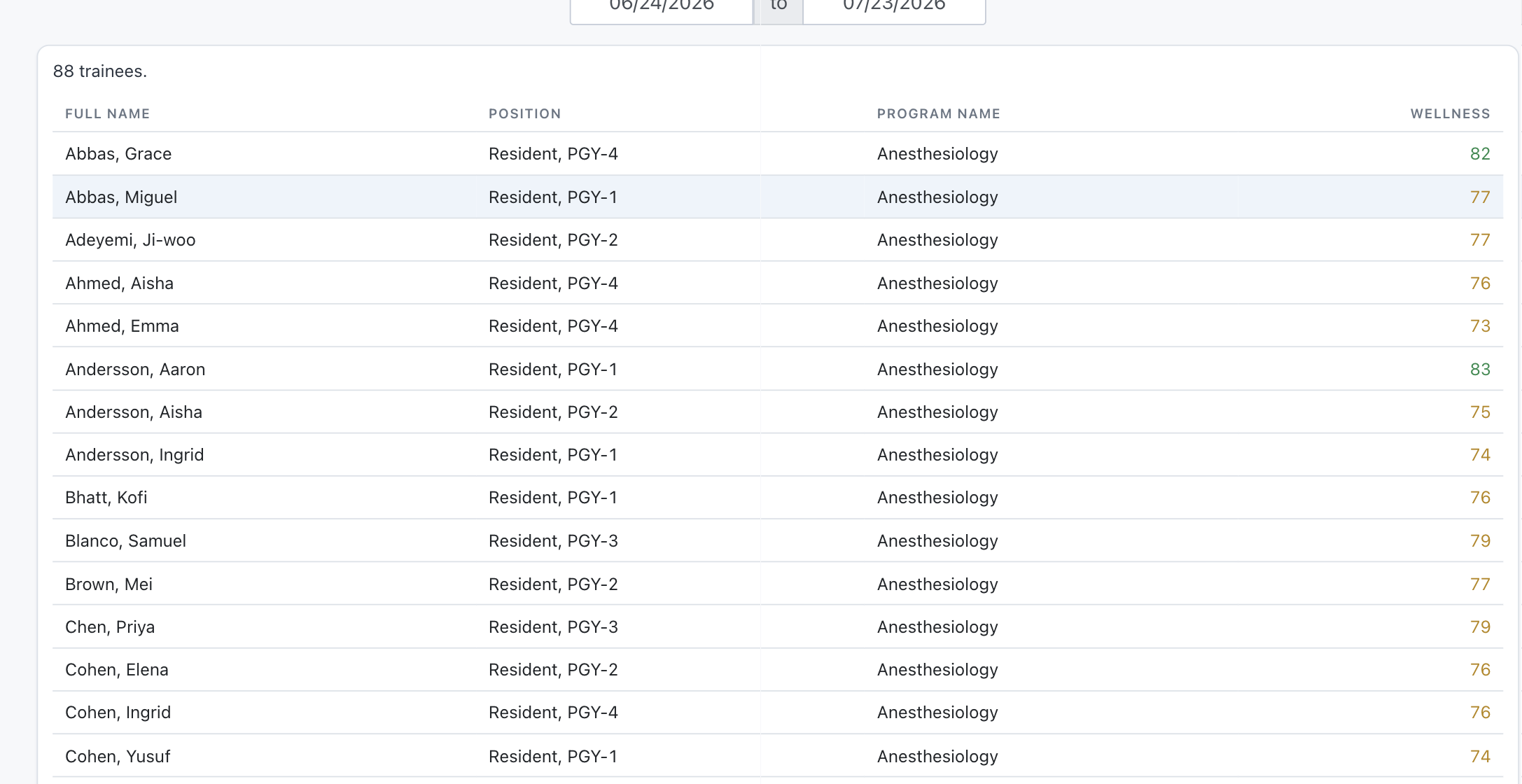
A well-being signal for every resident.
A workload-based Wellness Score for every resident in your program, reportable over any date range — a consistent, objective signal to support your program’s well-being conversations.
The rest of the ResQ family
Integrations
Already using an RMS? Hours recorded with ResQ sync automatically — no workflow changes required.
See your program in ResQ.
We’ll walk you through ResQ with your program in mind.