
ResQ Login Link
No more usernames. No more passwords. Just fast, secure access.
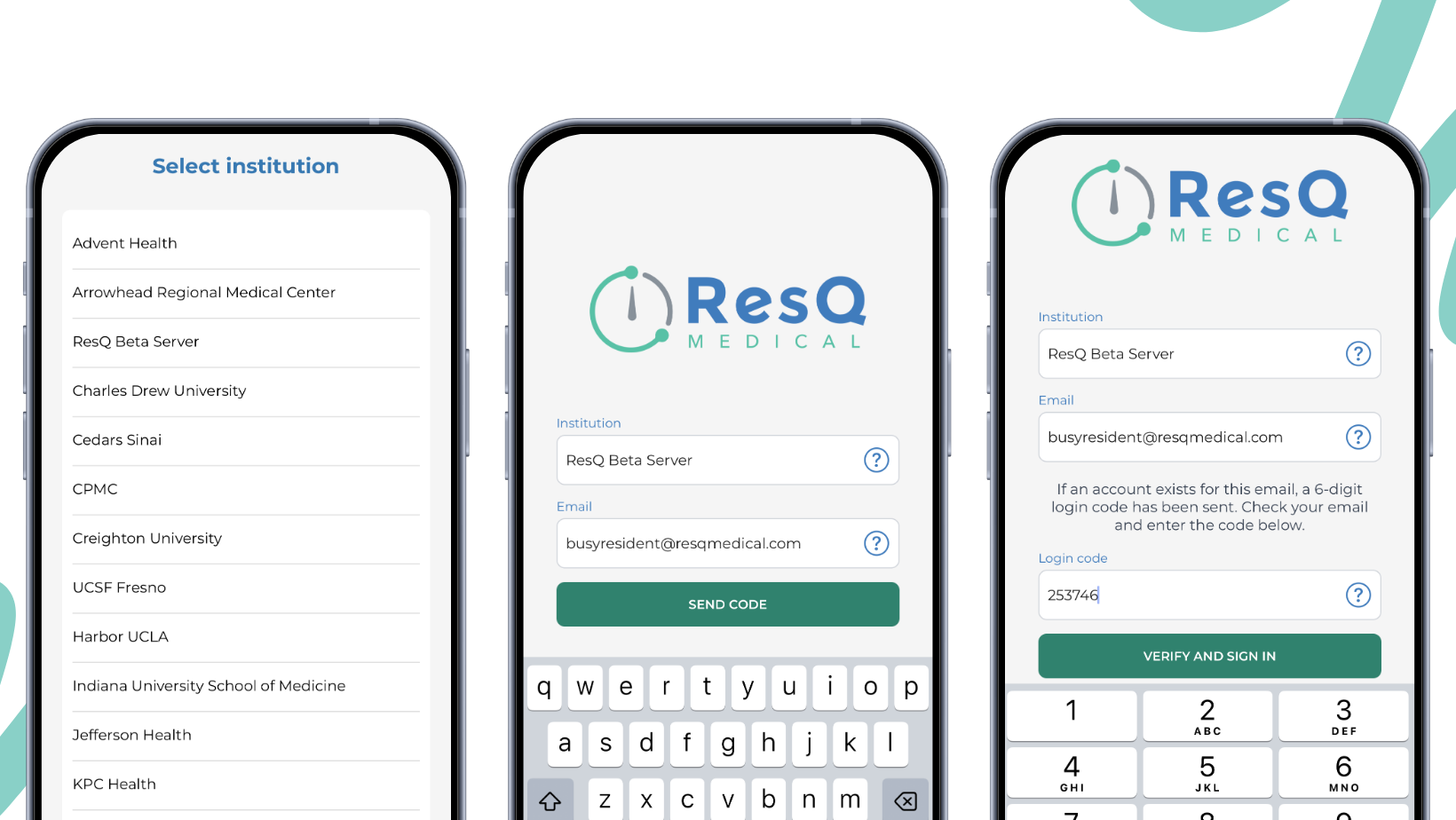
We know how busy your day is as a resident. Most of the time the ResQ app keeps you logged in so you can quickly log hours, review your schedule, or document a shift.
But when you do get logged out — it’s frustrating to suddenly have to remember (or reset) your username and password just to get back in.
Those days are over.
We’re excited to announce the new ResQ Login Link — our passwordless login feature that’s now live in the ResQ app. No more passwords to remember or type in. Just a quick, secure email-based verification and you’re back in.
The entire ResQ Team is just as excited about this update as you are — because we built it specifically to remove one more daily frustration and give you back precious time.
How ResQ Login Link Works
It’s simple, fast, and designed with residents in mind:
- On the login screen, select your institution from the built-in picker (automatically tied to the program you’re associated with).
- Enter your email address.
- A unique verification code is instantly sent to your email — you’ll recognize the message: “Your ResQ Medical Login Link”.
- Enter the code on the app screen — and you’re securely authenticated and ready to go.
No password required. No extra steps. Just faster, frictionless access every single time you need it.
ResQ Login Link makes it easier than ever to stay on top of your WorkTime™ logs, WorkZones™, and everything else ResQ offers — whether you’re at the hospital, catching up from home, or between shifts on the go.
Ready to try it? Update to the latest version of the ResQ app and log in with ResQ Login Link today.
Questions or feedback? We’d love to hear from you — email us anytime at support@resqmedical.com.
Please note this update is currently available on iOS and will be available for Android soon.